QR Clock
A clock that tells the time in the least readable way possible. You cannot read it. Your phone can.
A dumb idea, posted without thinking
Every clock is a compromise between how fast you can read it and how much it tells you. A QR code sits at one extreme: it encodes the time to the second, unambiguously, in a form no human can read at a glance. It is the most information and the least legibility, which makes it the funniest possible clock.
It should have stopped there. The post is still up, and everything below it is what happened instead.
Making it real is easy, which is the problem
Building it was the cheapest way to find out whether the joke survived contact with reality. It did. A QR code that changes every second is oddly compelling to watch, and scanning a clock to find out what time it is turns out to be a genuinely funny way to waste four seconds.
Encoding a QR code properly is more interesting than it looks. There is a specification's worth of masking, error correction and layout under a shape that reads as noise. Going the other way (decoding one from a camera frame, without a library) is where it stopped being a joke and started being a project.
It shipped as a desktop app: Windows and macOS builds on itch under the name QRJammer Clock. They are Tauri apps: a webview in a native shell, which means it had been a web page the entire time.
Open the scanner lab -> every stage of the decode, drawn over the image
The clock at the top of this page is the first one that runs in an actual browser.
Off the screen and onto a wall
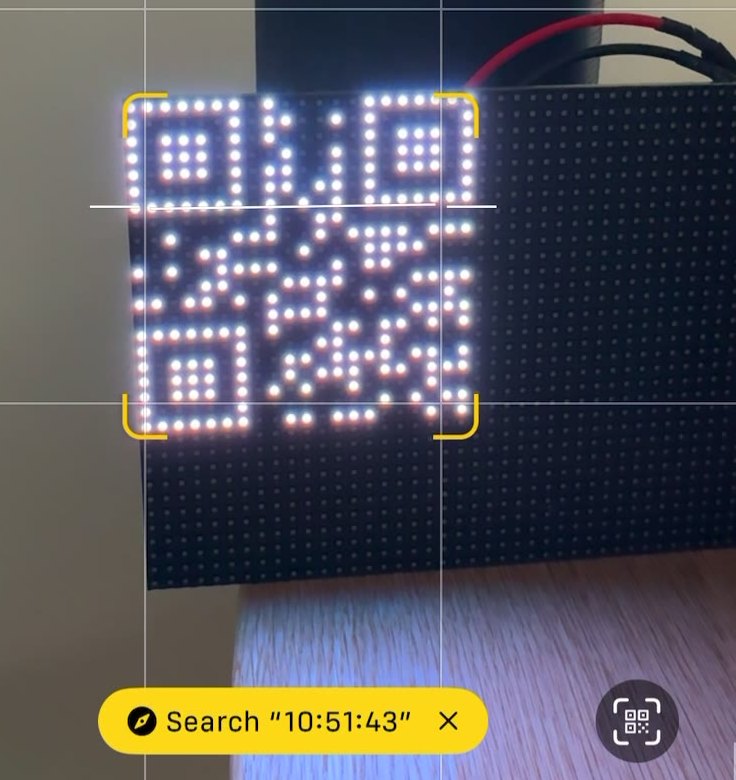
A clock in a window is a demo. A clock on a wall is furniture. Moving to an Adafruit 64 by 32 RGB LED matrix (4mm pitch) meant the code had to survive a fixed module count for the first time.
It survived comfortably. A version 1 code with its full four-module quiet zone needs 29 by 29, and the short side of the panel is 32, so there are three rows to spare. The long side has thirty-five to spare, which is why half the panel sits dark in the photo below. A QR code is square and this panel is not.
The version that makes a sound
Flipdots are the right ending. They are physical bits (each dot is a magnetized disc that mechanically flips between black and white, then stays there with no power at all). A QR code is already a grid of black and white squares, so the display and the format are the same shape.
And they click. A clock made of flipdots does not just show the time changing, it says so, once a second. Only the dots that changed actually flip - but a new second rewrites enough of the code that plenty of them do.
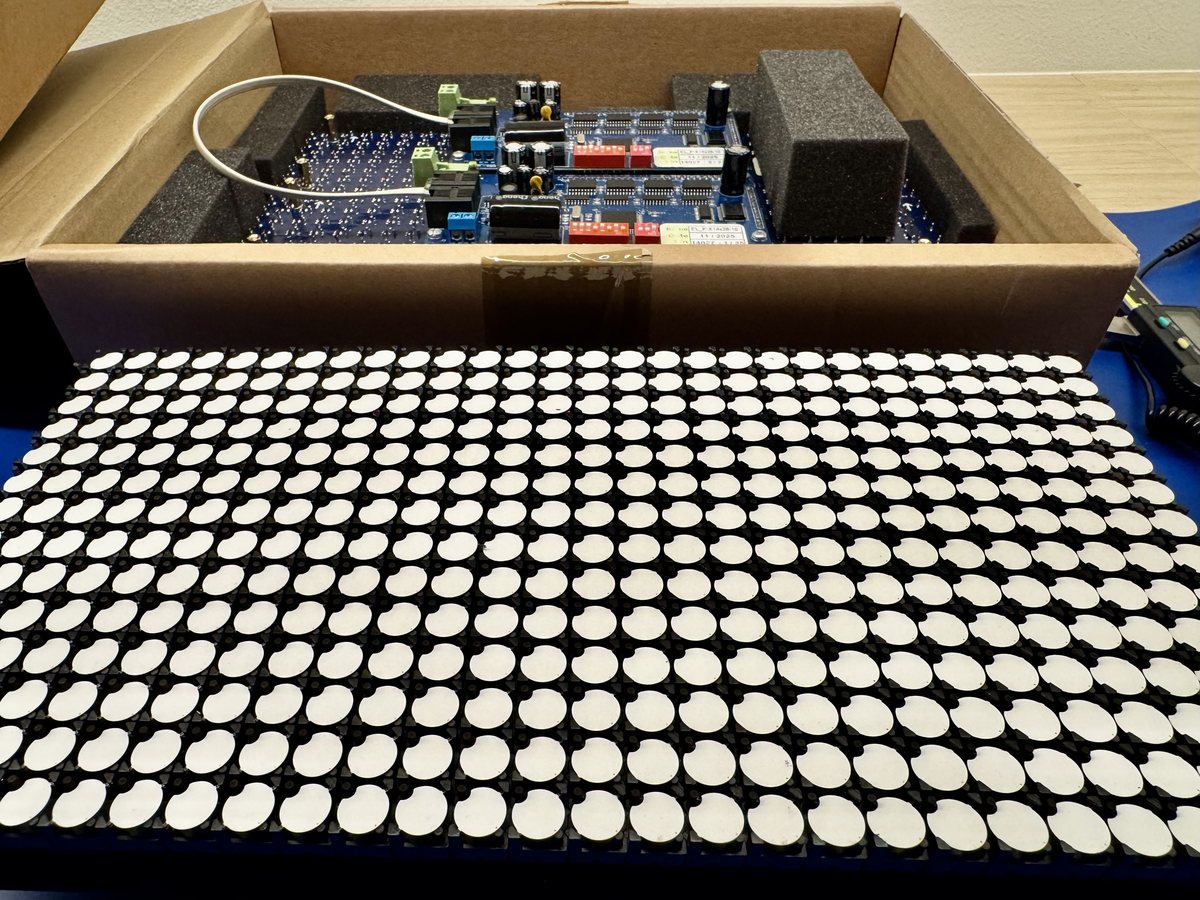
The panels are Alfazeta XY5 boards: 8.9mm discs, 14 by 28 dots each. Two of them stacked make a 28 by 28 square, and that square is the entire design constraint.
Here is why. The time as HH:MM:SS encodes to a version 1 QR
code, which is 21 by 21 modules. The specification asks for a quiet zone of
four blank modules on every side, so a strictly conforming code wants 29 by
29. The panel gives 28.
One module short, which sounds fatal for about a second. Then you remember what a quiet zone actually is: a margin the scanner needs to find blank. Nothing says it has to be made of dots - it only has to be the right colour, and the frame around the panel already is. The code finishes in the woodwork, which is a good trick for a clock whose pixels are physical objects anyway. Not yet checked against a real scanner.
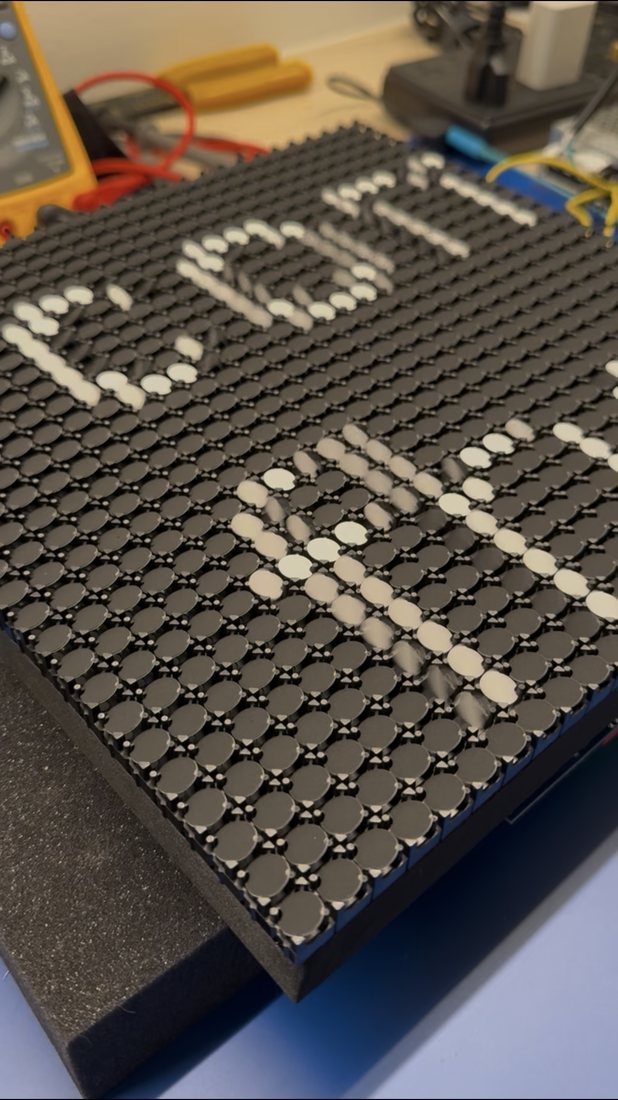
Behind them is Alfazeta's RS-485 HAT, with a Raspberry Pi 5 deciding what the time is. It updates every second, and only the dots that changed actually move - so what you hear is the code rewriting itself, not the whole panel resetting. That was not a requirement. It is simply what happens.
It goes on the wall once it has a casing that will not put a finger near several hundred small electromagnets.